A Language Server for SNOMED CT Expression Constraint Language — bringing diagnostics, completion, formatting, and terminology integration to every editor through a single LSP.
Try it — click the lightbulb to add display terms, or just start typing a concept name to search
Expression Constraint Language (ECL) is the standard query language for SNOMED CT, the world's most comprehensive clinical terminology. ECL lets you define precise sets of clinical concepts — from "all types of diabetes" to "any procedure on the left knee" — using a compact, composable syntax of operators, refinements, and filters.
At the core is a Language Server implementing the Language Server Protocol (LSP), built on an ANTLR4-based parser with FHIR terminology integration. One server powers plugins for VS Code, IntelliJ, Eclipse, Neovim, Sublime, Emacs, and Claude Code — plus embeddable web editors and a Slack bot.
Everything you need to write, understand, and maintain ECL expressions.
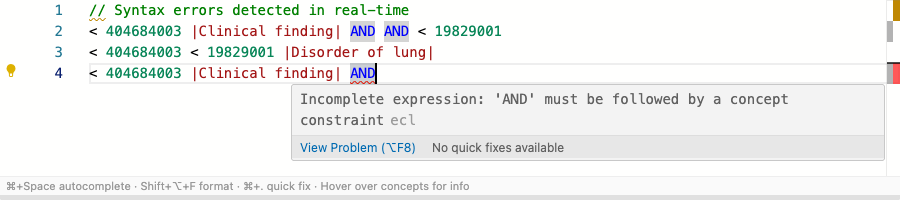
Real-time syntax and semantic error detection with actionable messages, powered by the ANTLR4 parser and FHIR terminology validation.
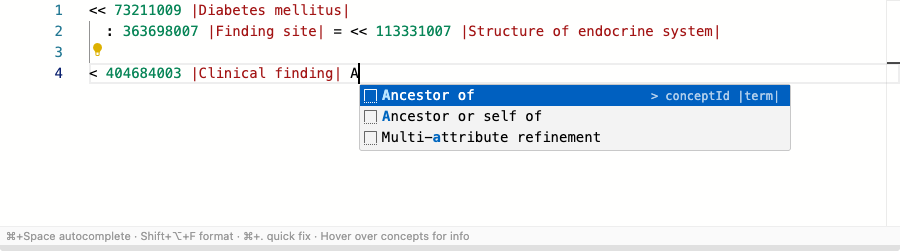
Context-aware suggestions for operators, SNOMED CT concepts, attributes, and refinement patterns triggered as you type.
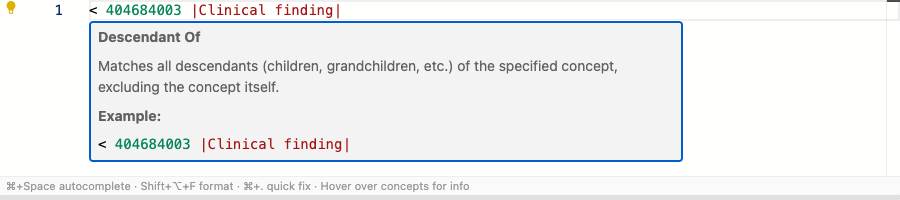
Inline documentation for ECL operators, concept identifiers, and attributes, including descriptions resolved from FHIR.
Opinionated formatter with configurable line width, indentation, and multi-line refinement breaking for consistent, readable expressions.
Automated code actions: add or remove terms, toggle constraint operators, extract sub-expressions, and normalize whitespace.
Inline concept counts and membership previews, evaluated live against FHIR terminology servers above each expression.
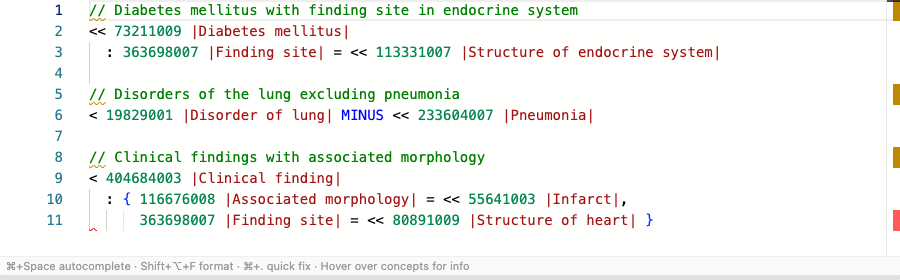
Fine-grained syntax highlighting that distinguishes concept IDs, terms, operators, constraints, and filters with distinct colors.
Connects to any FHIR R4 terminology server for live concept lookup, ECL evaluation, value set expansion, and version detection.
One Language Server, seven editor plugins. Install the plugin and get full ECL support instantly.
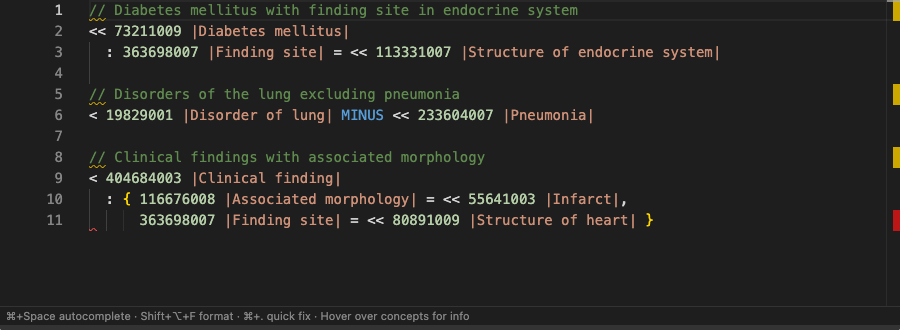
Syntax highlighting, diagnostics, completion, and hover docs working together.
Install what you need. Every package is scoped under @aehrc.
| Package | Description | Install |
|---|---|---|
| @aehrc/ecl-core | Zero-dependency core: parser, AST, formatter, completion, refactoring, validation, terminology | npm i @aehrc/ecl-core |
| @aehrc/ecl-lsp-server | Language Server Protocol server for any LSP-compatible editor | npm i @aehrc/ecl-lsp-server |
| @aehrc/ecl-editor-react | React component with Monaco editor, FHIR integration, and all language features | npm i @aehrc/ecl-editor-react |
| @aehrc/ecl-editor | Web component <ecl-editor> for any framework or plain HTML |
npm i @aehrc/ecl-editor |
| @aehrc/ecl-editor-core | Monaco editor integration core: language registration, markers, completions, hover | npm i @aehrc/ecl-editor-core |
Add an ECL editor to your app in under a minute.
import { EclEditor } from '@aehrc/ecl-editor-react'; export default function App() { return ( <EclEditor fhirUrl="https://tx.ontoserver.csiro.au/fhir" theme="vs-dark" semanticValidation onChange={(ecl) => console.log(ecl)} /> ); }
<script src="https://unpkg.com/ @aehrc/ecl-editor@^1.0.0/ dist-standalone/ ecl-editor.standalone.js"></script> <ecl-editor theme="vs-dark" fhir-url="https://tx.ontoserver.csiro.au/fhir" semantic-validation ><!-- initial ECL here --></ecl-editor> <script> const editor = document.querySelector('ecl-editor'); editor.addEventListener('ecl-change', e => { console.log(e.detail); }); </script>
Explore the editor components in Storybook with live controls.